
I built a “door opened” notifier.
It notifies me if my young daughter opens the door to her room. This way, I can work on projects in my workshop at night, and still know if she decides to not go to sleep.
Maybe this will be useful for when she gets older to avoid her sneaking out at night too…?
I built this around a cheap remote control unit I bought on Amazon for a few bucks. See the complete parts list and build instructions below the video:
The Circuit
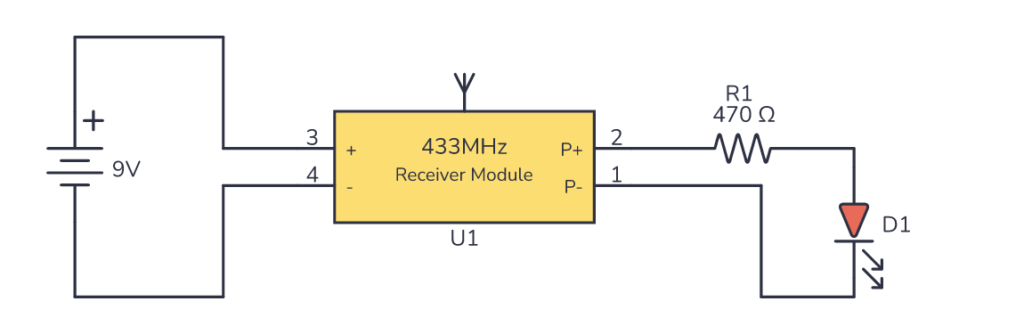
You’ll need the following parts:
- A Remote Control + Receiver unit (For example this one (Amazon))
- A 470 Ω resistor
- A Light-Emitting Diode (LED)
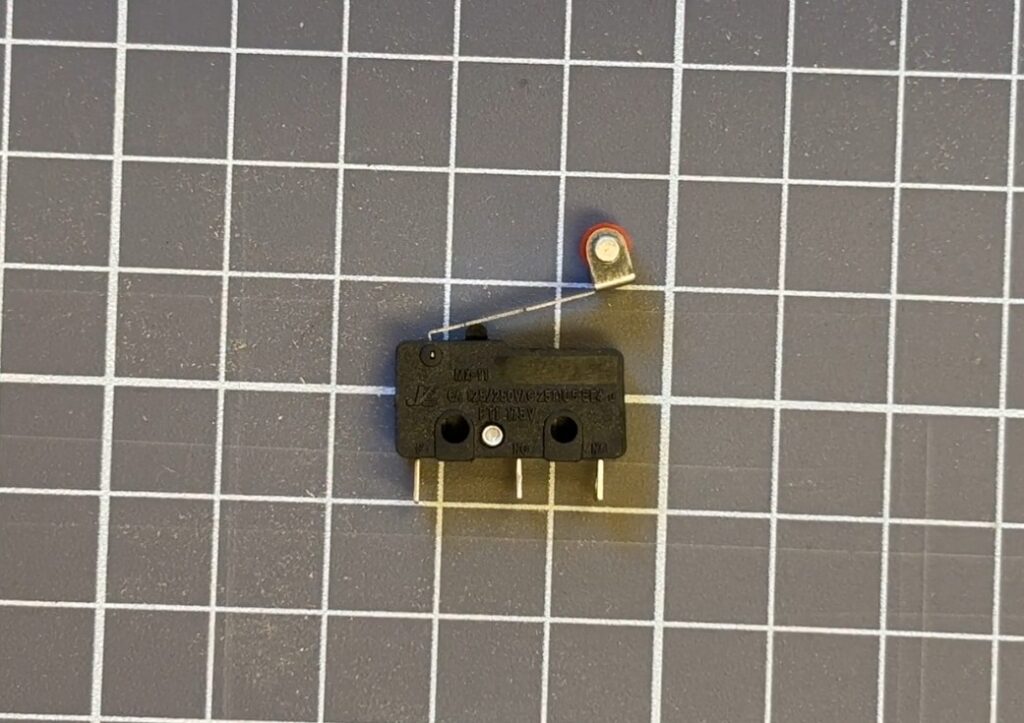
- A micro switch with roller
How the Circuit Works
A micro switch with a roller is placed so that it detects when the door opens. It is connected so that it “pushes the button” of the remote control unit.
The receiver unit is powered by a 9V battery and connected to an LED and resistor.
When the remote control button is pushed, whatever that is connected between P+ and P- gets powered.
Build Something Practical This Evening
Download this tutorial that shows you step by step how to build an old-school USB charger for your mobile.

The remote control receiver needs to be configured in ‘momentary’ mode, not ‘latched’. Momentary mode means the LED will be ON as long as the remote control button is being pushed.
My receiver was already configured as momentary, but it came with instructions on how to switch between the two.
Connecting the Door Sensor
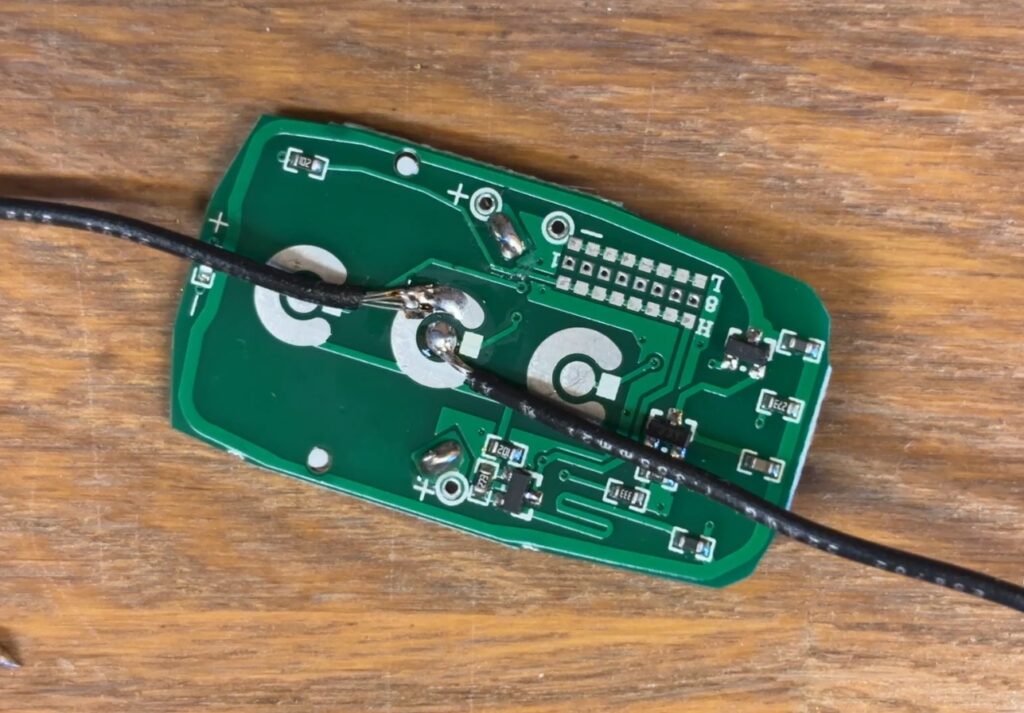
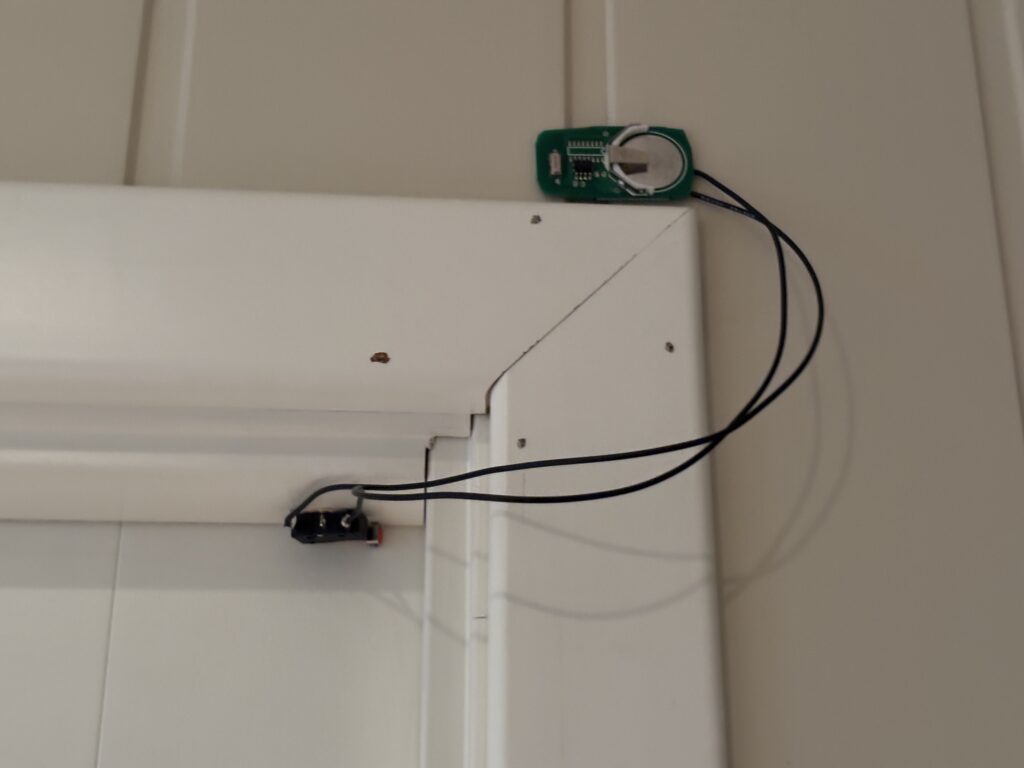
To create the door sensor, I opened the remote control unit and replaced the remote control button with my micro switch.
The old button was just a metal cap with tape to hold it in place. I just dragged off the tape to expose the pads for the button.
Then I soldered the COM pin of my micro switch to one pad, and the NC (Normally Closed) pin to the other pad.
This way, when the switch lever is pressed (door is closed), the remote control button is not pressed. When the door opens, the lever releases, and the remote control button becomes pressed.
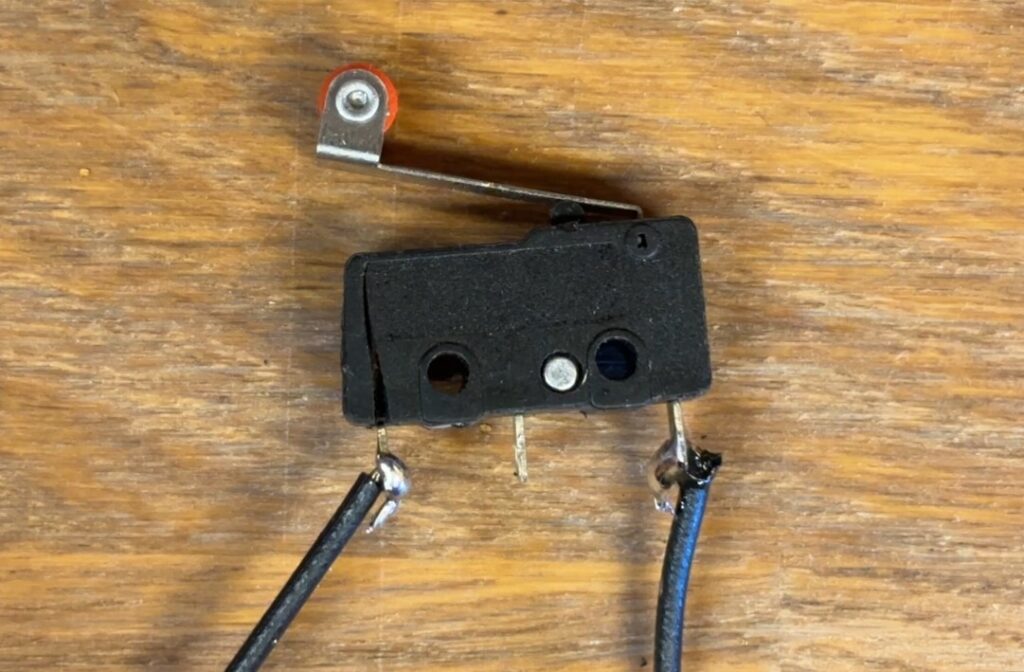
Building the Notification Dashboard
I placed everything onto a block of wood as I thought it looked a bit cooler than just a plain circuit board. Then I soldered everything together.
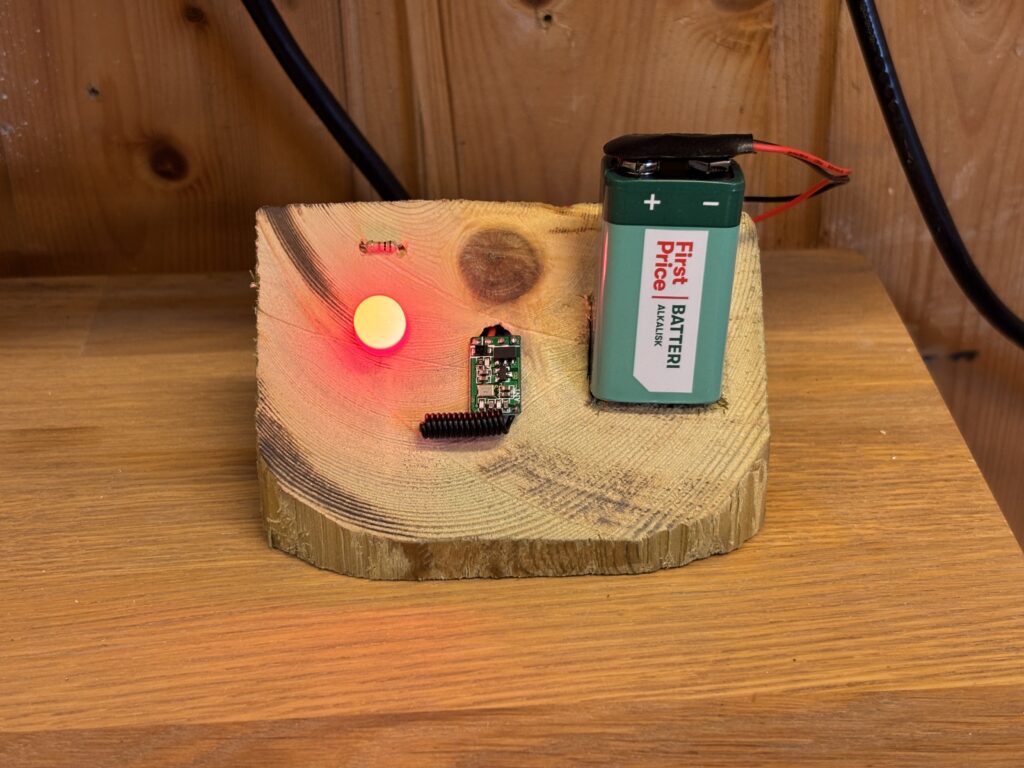
I fastened the door sensor with some double sided tape.
The “go-back-to-bed” gadget is now sitting nicely on my workshop bench in the garage. And whenever my daughter sneaks out – dad will know!
Questions?
If you have any questions on how to build this open door sensor/notifier, or how it works, let me know in the comments section below!
More Circuits & Projects Tutorials
Build Something Practical This Evening
Download this tutorial that shows you step by step how to build an old-school USB charger for your mobile.